Financial work in community management has spent years split across systems. An AR specialist posts charges in one place, researches a homeowner’s account history in another, and records incoming payments somewhere else again. Budget season runs on the same pattern: export the GL, paste it into a spreadsheet, rebuild the projections by hand, then hope the workbook opens cleanly on a board member’s laptop.
Two rounds of new releases have closed both gaps. Core functionality in Accounts Receivable is now complete inside FRONTSTEPS Manager, and budget generation has moved into the platform with ALLi.
Here’s what’s new and what it changes about your team’s daily tasks.
Core Accounts Receivable is Now Complete in Manager
Four new features cover the majority of your daily AR workflow.
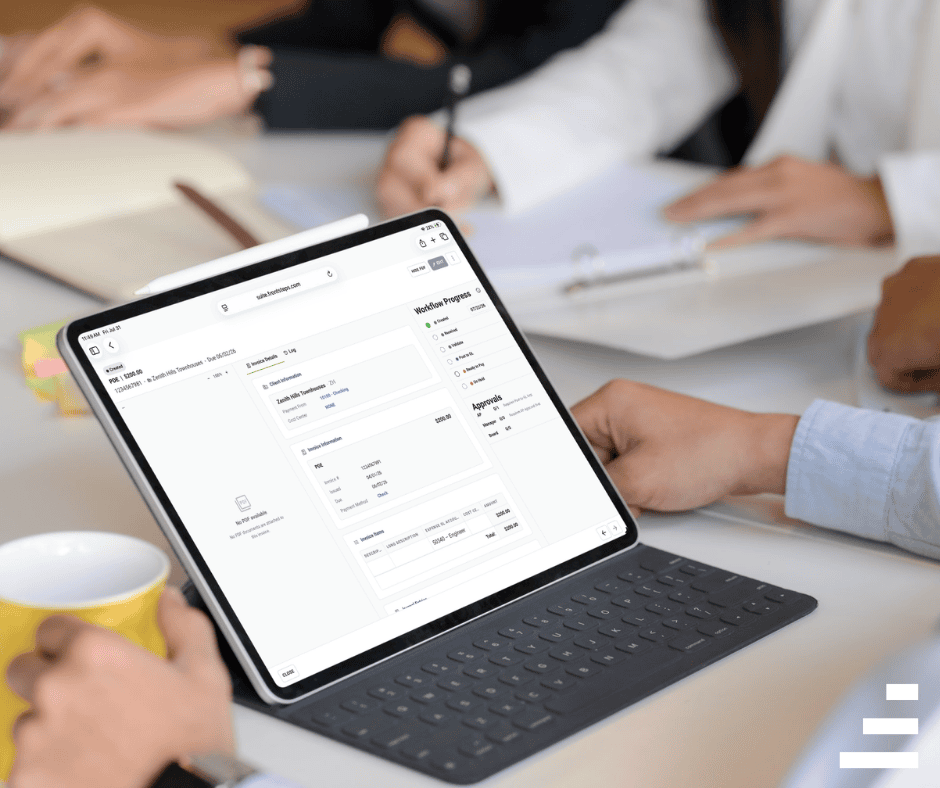
Your AR team can start the day in Manager and stay there.
And this is the foundation, not the finish line. The remaining AR capabilities like the GL Viewer, Chart of Accounts, Auto-Posting, and Journal Entries among them are in active development, with the full AR module on track to be complete in Manager very soon. The daily workflow is here today; the rest of the accounting picture is close behind.
Why Background Task Processing Matters More Than it Sounds
Batch posting used to mean waiting. Submit the job, watch the screen, and do nothing else until it finishes.
Resource-intensive billing work in Manager — batch posting and import processing — now runs asynchronously. A specialist can submit a batch and keep working, entering the next deposit or pulling a ledger while the job runs. The Background Tasks page shows which function triggered each job and tracks status in real time, and unexecuted jobs can be canceled.
The practical result is better capacity. The same AR team now clears more volume in the same number of hours.
Budget Generation, Guided by ALLi
Budget season is the other half of the financial year, and it’s getting the same treatment.
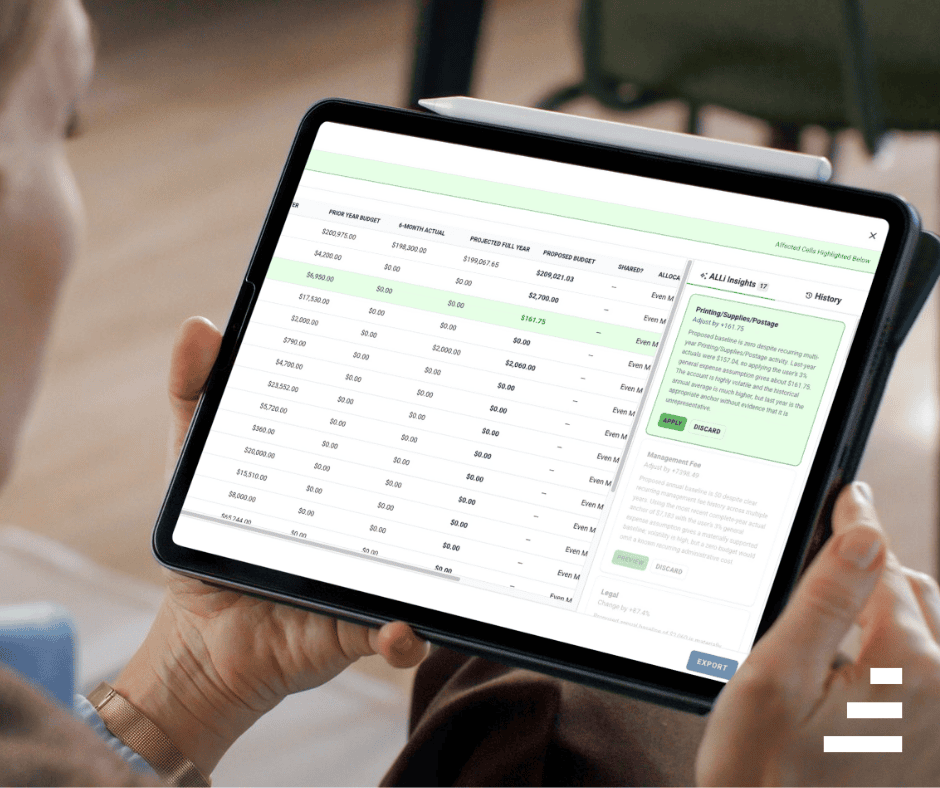
The guided budget experience in Manager turns your FRONTSTEPS Caliber data into a board-ready Excel budget in one sitting. A step-by-step wizard walks through community setup, expense changes, assessment changes, insurance projection, reserve funding, and optional adjustments, with validation along the way and a full review screen before anything generates. It’s an ALLi Pro capability, available to Manager and Admin roles on the web.
Behind the wizard sits a deterministic engine. The draft is built directly from your Caliber GL data, and every cell in the export is a live Excel formula traceable back to a source figure, a stated assumption, or an override you entered. One-click export produces a standard FRONTSTEPS workbook that opens clean — no #VALUE!, no #REF!, no rebuilding a broken file the night before a board meeting. You can generate multiple versions in a single session.
Assumptions get grounded line by line instead of applied as a flat percentage across the board. Utilities move with inflation. Insurance moves with renewal timing. Reserves follow the study.
What Makes an AI-Assisted Budget Defensible to a Board
AI-assisted budgeting has become commonplace now, but the important question is how much control you keep.
ALLi Insights appear in a rail alongside the budget, offering per-line recommendations grounded in web research, account history, and any context you upload. Each recommendation is cited, with visible reasoning and a confidence level. Every one of them is advisory. Nothing changes the budget without an explicit apply action from you, and anything applied can be undone.
The audit trail captures all of it — every assumption entered, every insight applied or dismissed, every export generated. When a board member asks where a number came from, you’ll have an answer with a source attached.
How to Prepare for Budget Season
A guided workflow produces better output when the underlying data is clean. But we know that a fair amount of skepticism about AI in this industry is earned. Community management is a relationship business, and nobody wants a black box making financial decisions for a board or an assistant that puts distance between a manager and their homeowners.
ALLi was built with that in mind. It isn’t a general-purpose chatbot bolted onto the platform; it’s purpose-built for community association management, and its job is to handle the digging so your team can spend more time on the conversations that actually require a person. The manager stays in the room. ALLi just makes sure they walk in with the answer.
A few things worth handling before you sit down to build next year’s budget:
- Clear your AR backlog. Post outstanding batches and resolve pending entries so your GL reflects reality.
- Confirm your reserve study is current. Reserve funding is a wizard step, and an outdated study propagates into every projection built on it.
- Pin down insurance renewal timing. Renewal dates drive how insurance projections spread across the fiscal year.
- Gather board context early. Planned capital projects, known vendor increases, and assessment discussions belong in the draft before it reaches the board, not after.
Talk Through What This Means for Your Communities
The daily AR loop and the annual budget loop now live in the same place your team already works. Fewer systems to reconcile. Fewer exports to babysit. A clearer paper trail on both.
If you want to see how these capabilities apply to your portfolio, or where ALLi Pro fits for your team ahead of budget season, reach out to your FRONTSTEPS representative and schedule a call to learn more.