A board may need only a paragraph on outstanding repairs, but a community manager still has to pull together the work orders, check what’s changed, and decide which details matter. At FRONTSTEPS, we built an AI assistant called ALLi to help community management teams with work like this.
With ALLi Pro, managers can ask questions about the community records they already keep in FRONTSTEPS Manager. For that board update, a manager could ask ALLi to summarize one association’s open work orders, then review the summary and decide which repairs need the board’s attention.
An AI rollout can stall after a good demo if the plan ends as soon as you turn the software on. Managers still need time to learn where ALLi fits into their day. This 30-day plan starts with a few people practicing on work they already know, then uses what they learn to guide the rest of the team.
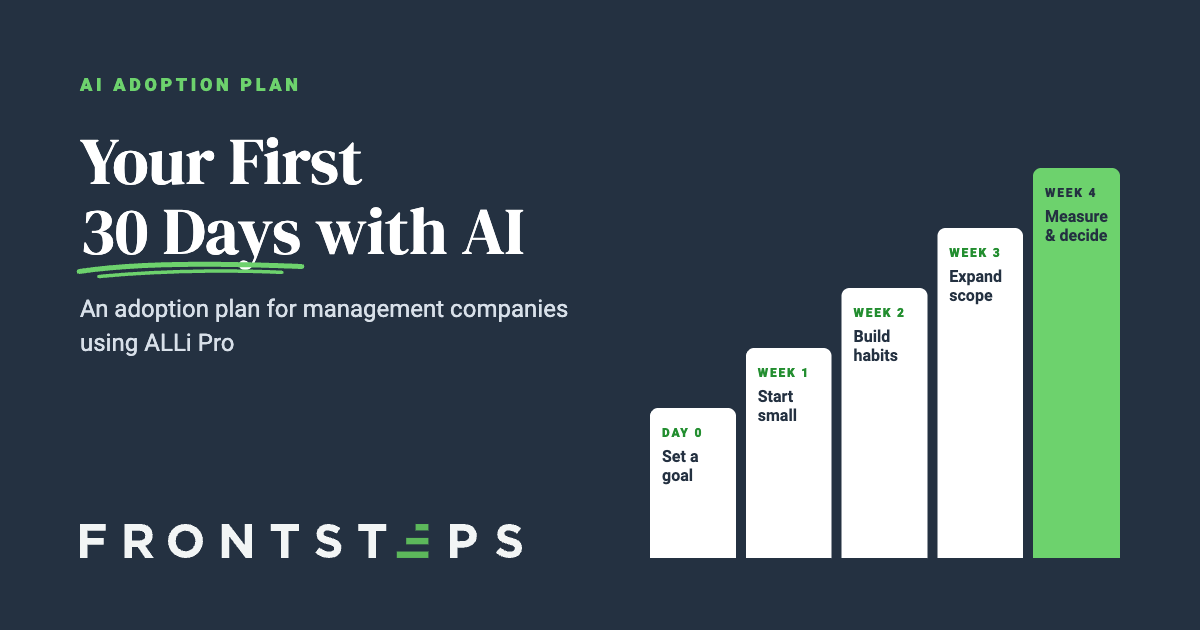
Before day one: Set a goal and name a champion
Identify a problem area in the business. For example, ask your managers where they regularly lose time in their day. If several mention looking up maintenance requests while board members or residents wait for a phone call, make faster, accurate maintenance updates your first goal for ALLi Pro. Track how a typical day would unfold; make sure to follow it all the way through to an answer from the manager. That way, you’ll have a baseline to understand where time was saved at the end of your AI implementation.
Name an internal champion for the pilot, ideally someone colleagues already turn to for help. Have them explain what the team can hand off and where managers’ experience still matters. ALLi can gather records and create a summary of what they say. The people who know the community still decide what to communicate and who needs a follow-up.
Week 1: Start small with simple questions
Invite two or three managers or administrators to try ALLi with an association they know well. A straightforward request such as “Show me the open work orders for Maple Court” gives them a list they can check against the records. Pick one order and ask for a summary of its notes. If the repair was recently rescheduled, does the answer reflect the new date?
Give each person a turn at the keyboard. Ask which question got a useful answer on the first try and which one felt awkward to ask. Bring both examples to the next staff meeting so colleagues can see what worked and suggest a different way to phrase the tougher question.
Week 2: Build habits that last
If your team already reviews outstanding maintenance every Friday, have one manager use ALLi to prepare that week’s update. Let them show colleagues how they narrowed the results to one association and which details they checked before sharing. A few minutes on the regular agenda gives the rest of the team something they can try the following Friday.
At FRONTSTEPS customer APM, board reports gave managers that kind of starting point. Operations Manager Lisa Frisch described how colleagues who had each prepared reports their own way could use ALLi to give boards a consistent, readable format. Seeing the result got people talking about other ways they could use ALLi to reduce admin tasks
Week 3: Expand and refine your scope
Pair a pilot participant with a colleague from another portfolio and try a related task, such as turning the maintenance update into a section of a board report. Then give the manager responsible for that community the final review. An accurate list of open repairs still needs their judgment about which items require a board vote. After the meeting, an administrator can ask ALLi to pull action items from the notes, then confirm who agreed to each one before sharing the list.
If you’d like to offer similar help to homeowners, ALLi Enterprise lets residents ask questions on your website or in the resident portal. It answers using information your organization approves. To try it out, start with a common question about reserving an amenity. Then check where a homeowner can go to request an exception. Explaining a reservation policy and deciding whether to make an exception are different responsibilities.
Week 4: Measure and decide a path for month 2
Time a fresh set of maintenance lookups with ALLi Pro and compare them with the ones you timed before launch. Include the minutes spent checking or correcting answers, and ask participants which tasks they’ve started using ALLi for on their own. If managers can give an accurate status update in less time, that routine is worth teaching another team. If they spend most of the time rewriting a board report, narrow the next trial to the section they found useful.
Common pitfalls with AI Integration
Rolling out too much at once. If the pilot went well with maintenance updates, teach that routine to the next portfolio before adding board reports or resident questions. It’s easier for colleagues to help each other when they’re learning the same task.
Skipping hands-on training. A saved prompt makes more sense once someone has used it. Have each new manager try it in ALLi Pro with their own association and date range, then check the result with a colleague from the pilot.
Leaving no one accountable. Suppose homeowners keep asking ALLi Enterprise about a pool rule that’s missing from the approved FAQs. Put the pilot champion in charge of flagging the gap, finding the person who can update the policy information, and checking back once it’s fixed.